These cards will be kept in a separate box under the guides’ desk. You should offer visitors to use it. This is a tool for learning Estonian—find out whether visitors would be interested in trying it.
If someone takes the cards, you should explain the concept and make sure that set is back after.
Please keep an eye on this.
Guide for using a coffee machine
Step by step
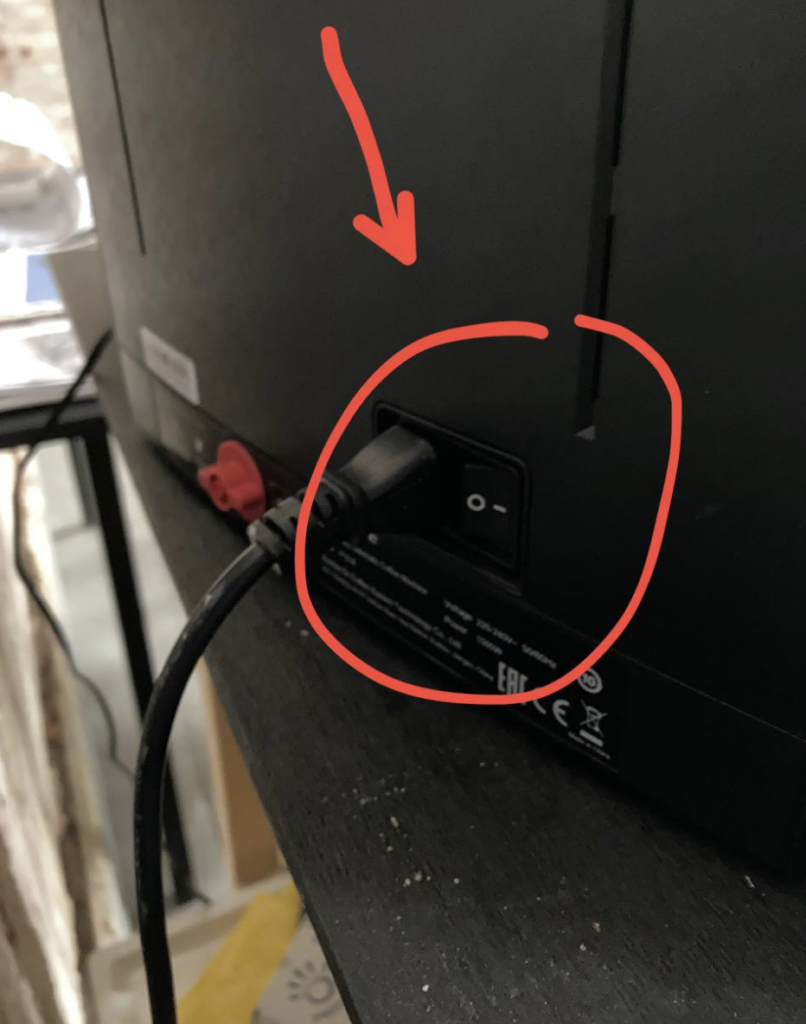
1. At the beginning of the shift, the coffee machine should be turned on, and at the end of the shift, it should be turned off. The button is located on the back side.
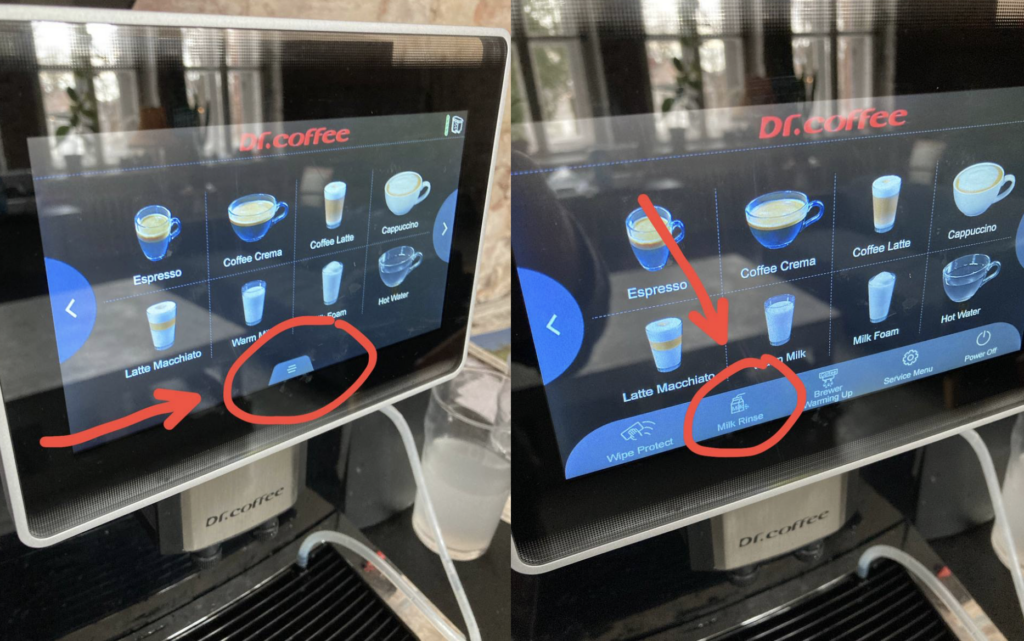
2. At the beginning of the shift, you also need to run a “Milk Rinse” to clean the milk tube. Place the milk tube into the drip tray from the milk compartment and press the buttons on the screen:
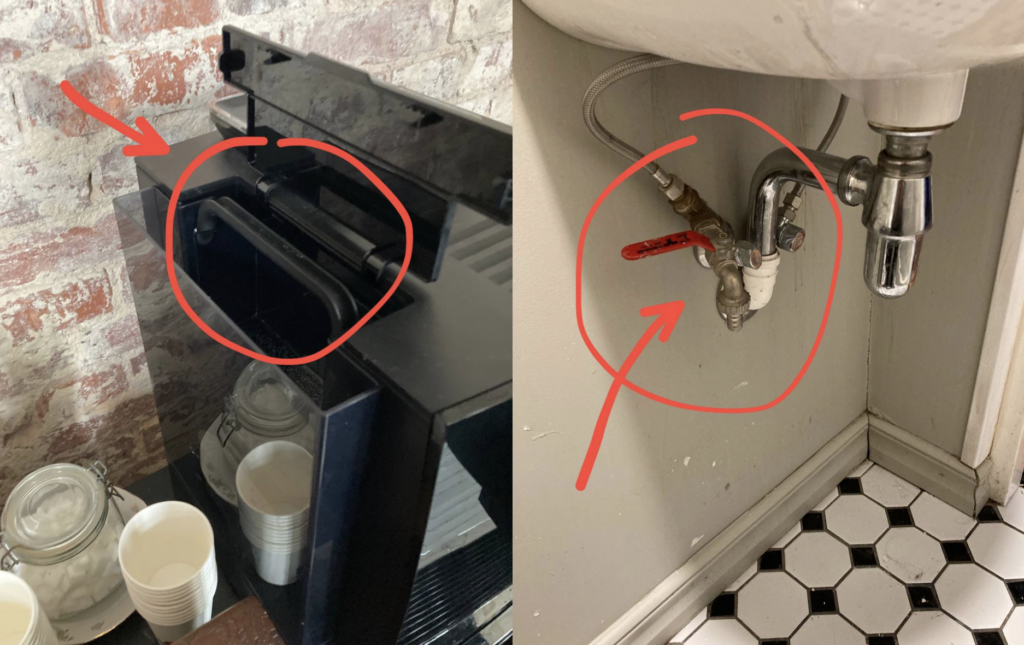
3. Sometimes different messages may appear on the coffee machine’s screen, for example indicating that the water reservoir is empty. The water compartment is easy to remove:
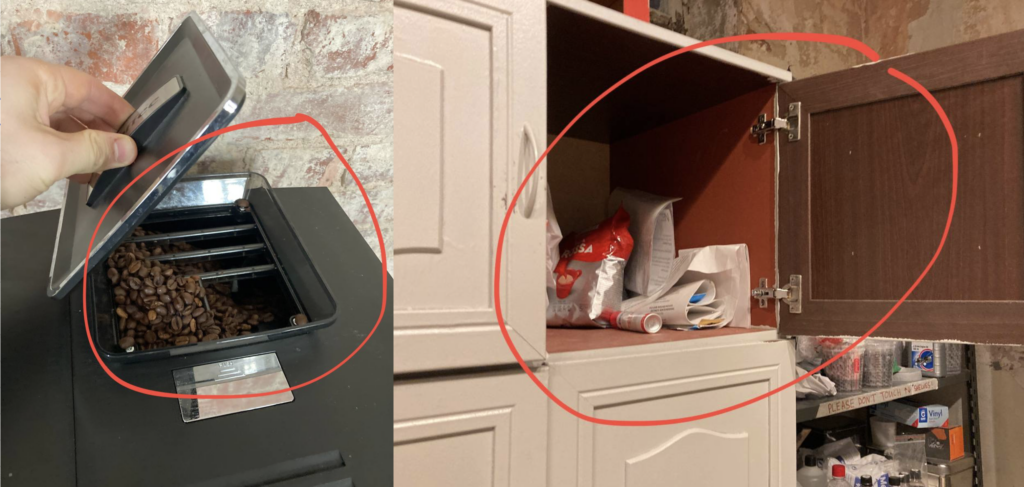
4. Sometimes the machine may run out of milk; you can take a new carton from the shelf on the side of the cabinet in the storage room. The coffee beans may also run out—extra bags are stored in the same storage area, and the bean compartment is located on top of the coffee machine.
5. In addition, a message saying “Drip tray is full” may appear on the screen, meaning the tray is filled with coffee and water. In this case, you need to carefully remove the tray, pour the liquid into the toilet, and dispose of the solid used coffee grounds separately in the bio-waste.
6. Check that the coffee machine has cups, sugar, and napkins available. Refill them if needed.
7. Messages about deep milk or coffee cleaning of the machine may also appear on the screen. Please report this, and if there is no one available to do it immediately, tap the X in the upper-right corner of the message window.
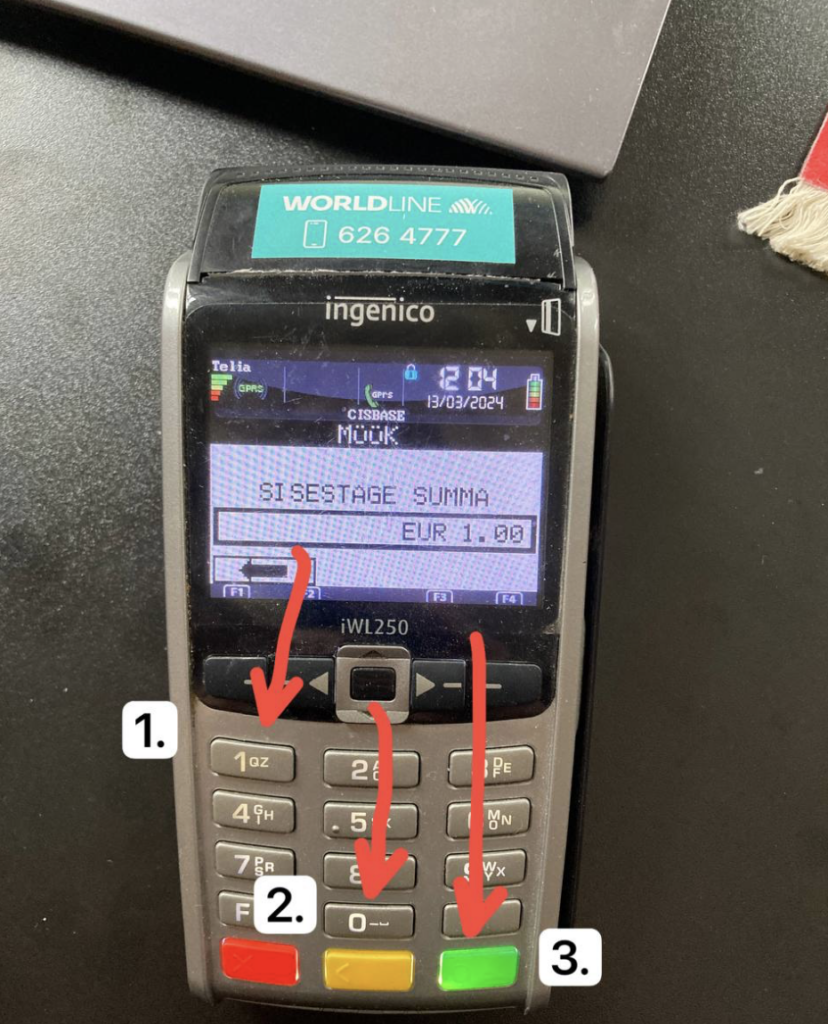
8. Coffee can be paid for in cash by putting coins or banknotes into the donation box. If needed, also help guests pay for coffee by card. To do this, enter the number on the terminal and then press 0 twice. Make sure the amount shown on the screen is correct, then press the green button.
The instructions may be updated in the future.
What You Need to Know About Fire Safety Plan
SCENARIO A
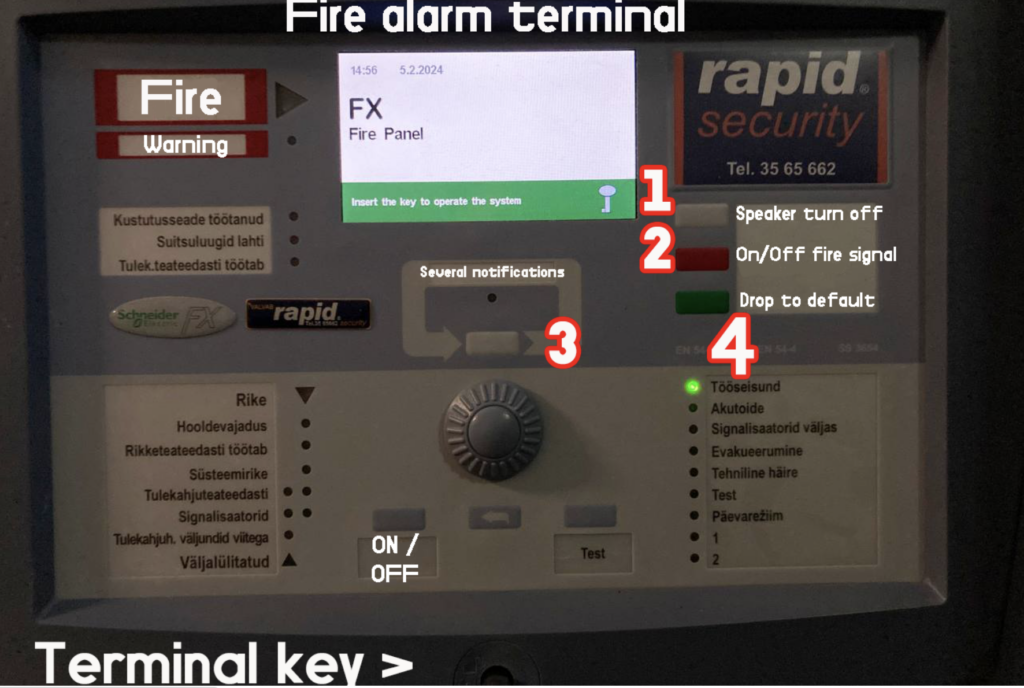
Sometimes because of cooking at kitchen or using sauna or low battery smoke detectors can run fire alarm signal. It also can happen because of low detector’s battery. In that case here is instruction how to turn off the FALSE fire signal at fire alarm terminal which is located right after the main door.
1. Make sure that key is inside terminal box lock and turned right, right turn activates buttons.
2. Grey button: Turn off the speaker
3. Red button: Deactivate alarm or activate it if needed
4. Take a picture with fire terminal notification with cause and number of smoke detector
SCENARIO B
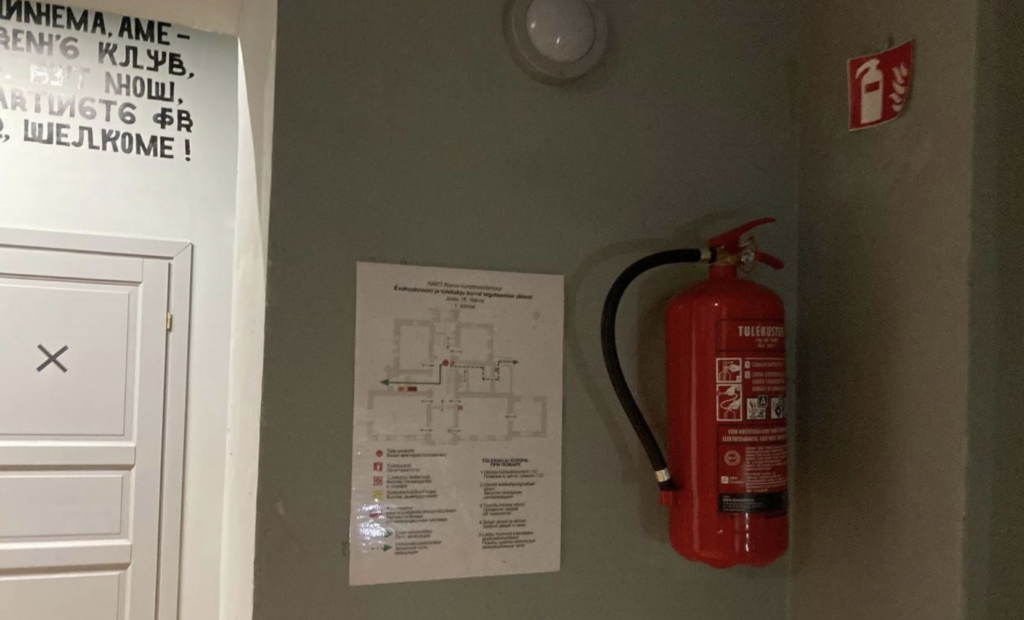
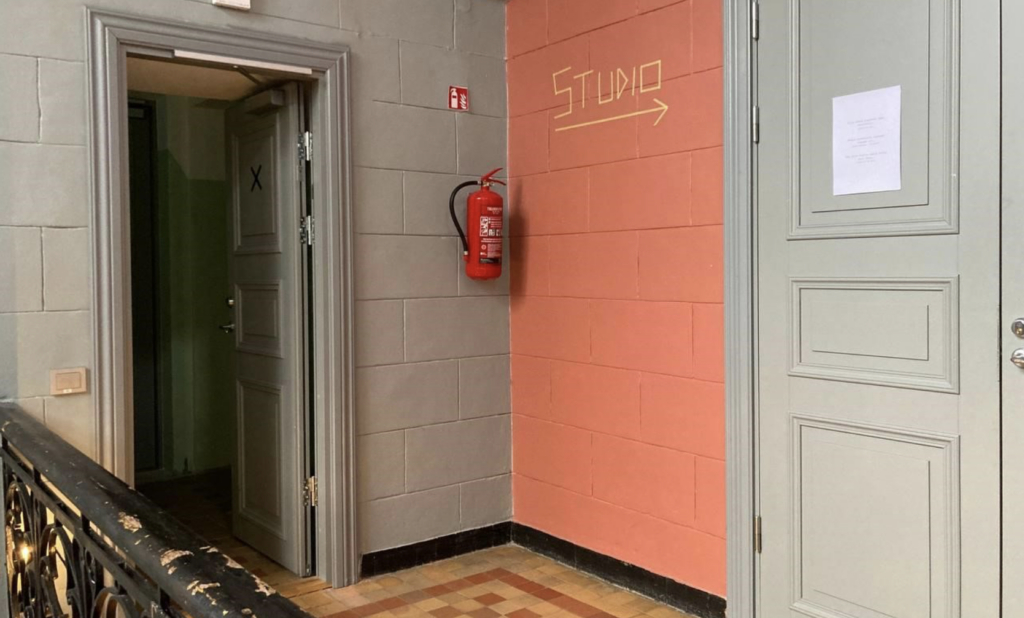
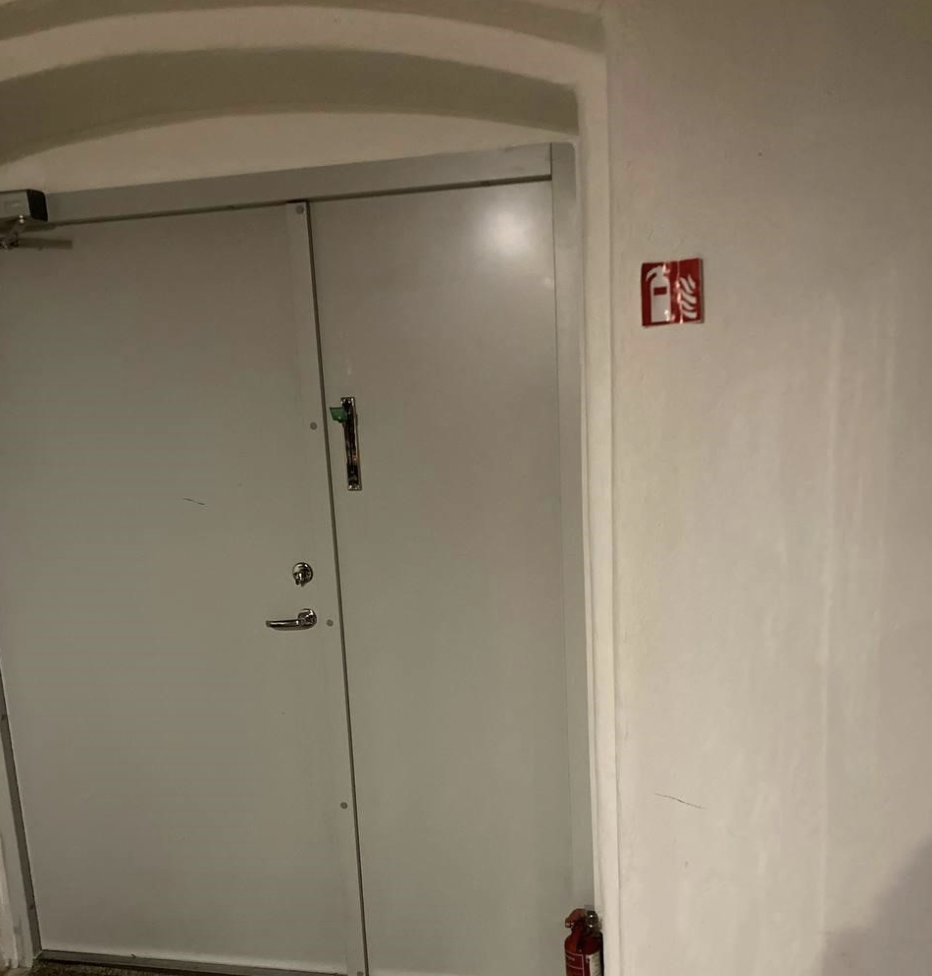
In case if you see that the flame area is relatively small or fire is going to start then it can be possible to remove an open fire / fire source with a fire extinguisher which is located at each floor.
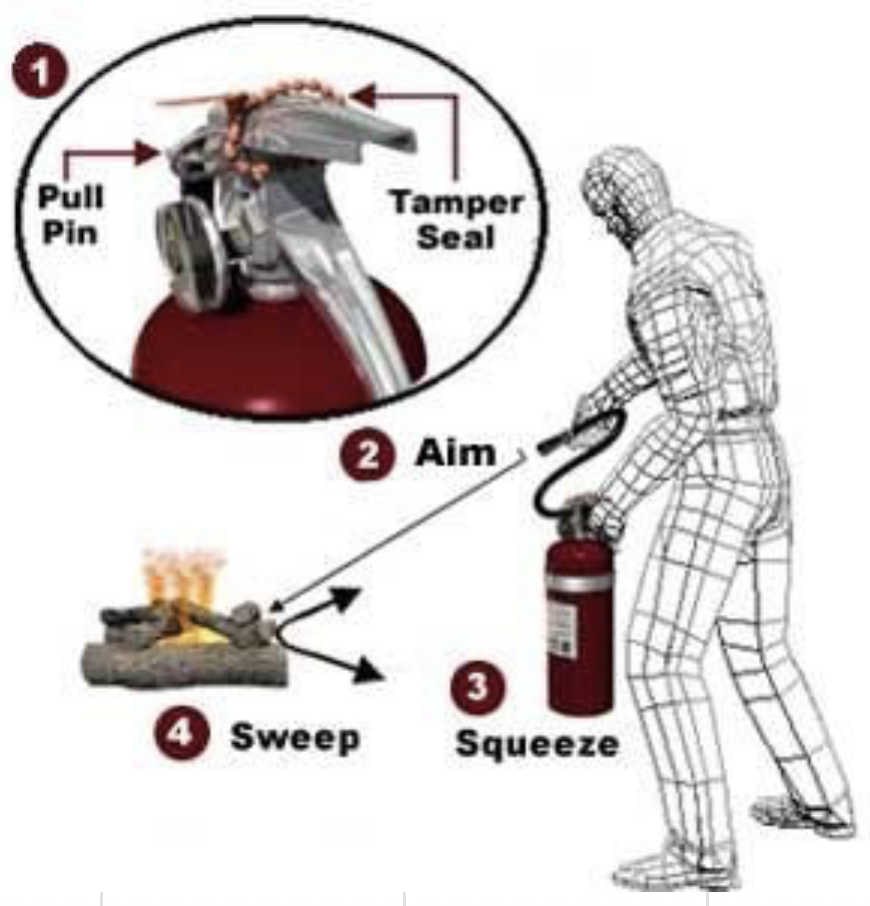
How to use fire extinguisher
1. PULL… Pull the pin. This will also break the tamper seal.
2. AIM… Aim low, pointing the extinguisher nozzle (or its horn or hose) at the base of the fire.
NOTE: Do not touch the plastic discharge horn on CO2 extinguishers, it gets very cold and may damage skin.
3. SQUEEZE… Squeeze the handle to release the extinguishing agent.
4. SWEEP… Sweep from side to side at the base of the fire until it appears to be out. Watch the area. If the fire re-ignites, repeat steps 2 – 4.
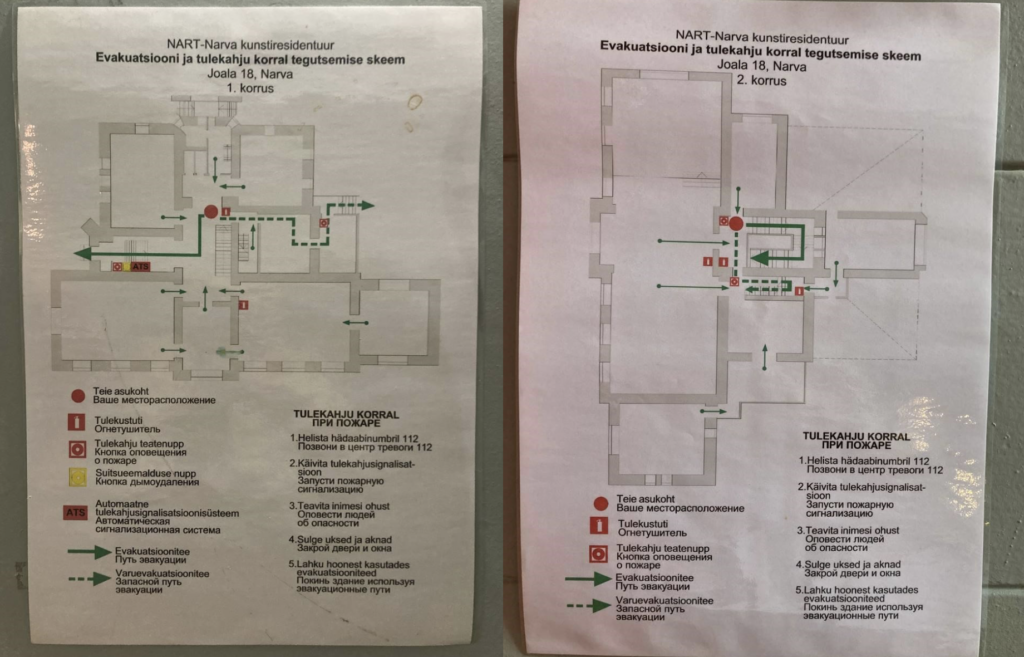
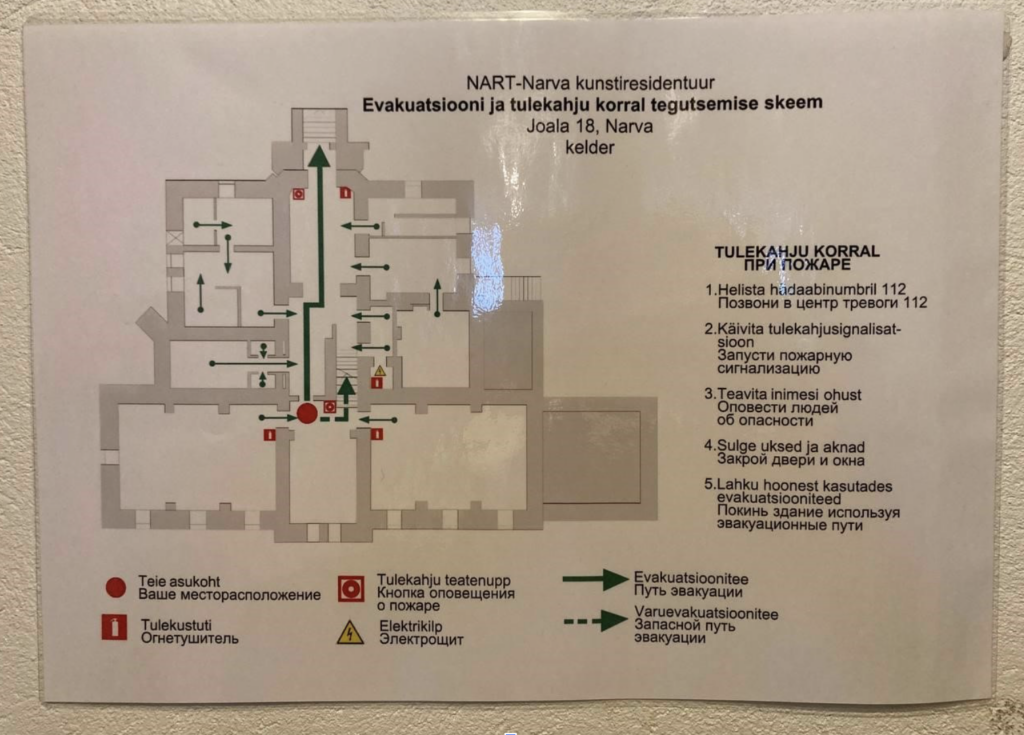
Fire extinguisher locations
FIRST FLOOR
SECOND FLOOR
CELLAR FLOOR
SCENARIO C
In case if you see the black smoke all around, the open fire which is not possible to remove with fire extinguisher then you need to:
1. Call emergency number 112
2. Press fire alarm button
3. Inform people about dangerous situation (loud shouts, ring the bell)
4. Close door and windows
5. Leave the building using the evacuation plan :
NART jubilee and history videos
How to show films on the interactive screen
1.Make sure that power wire is plugged in
2. Press round power button and wait until home screen image will appear
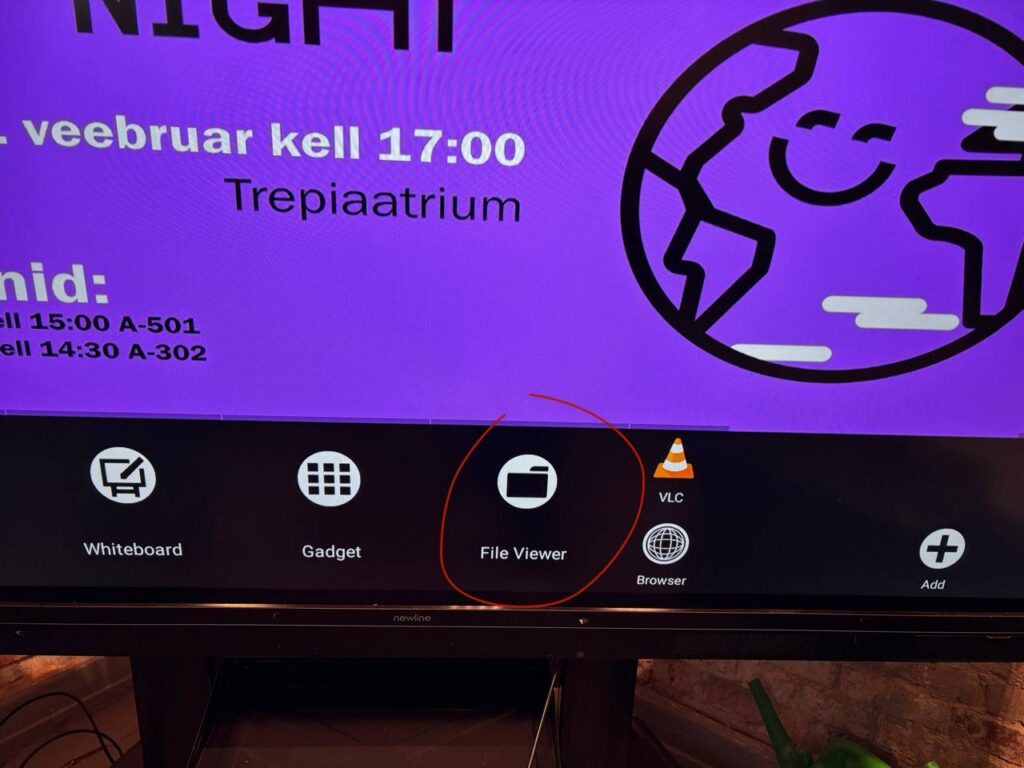
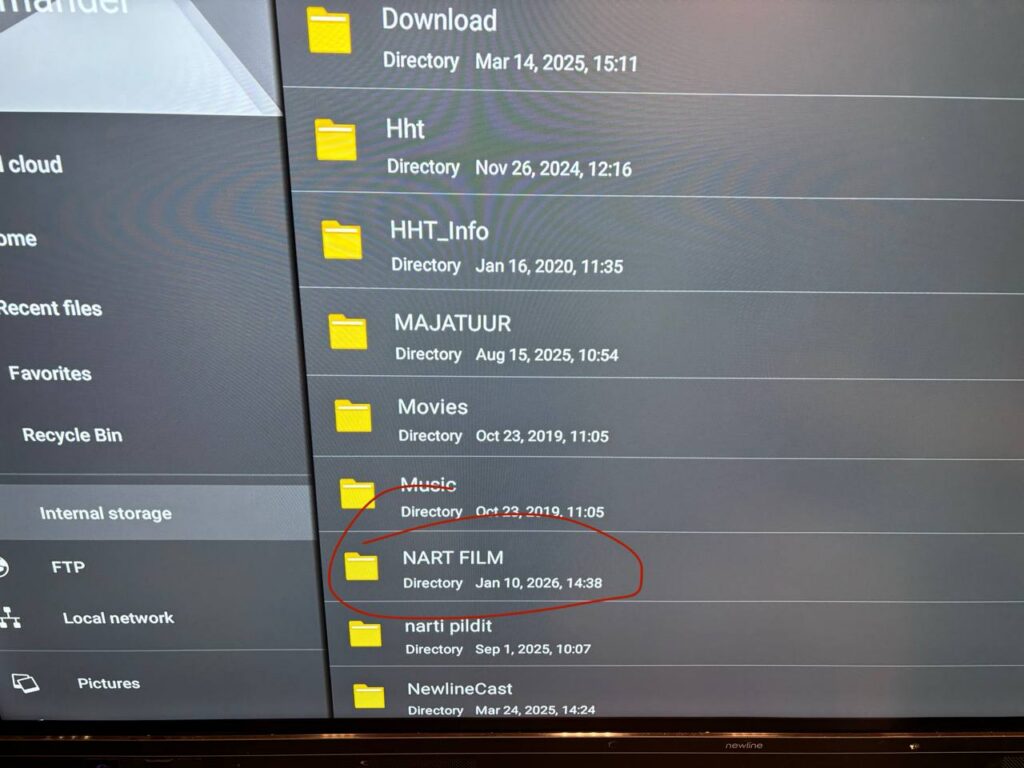
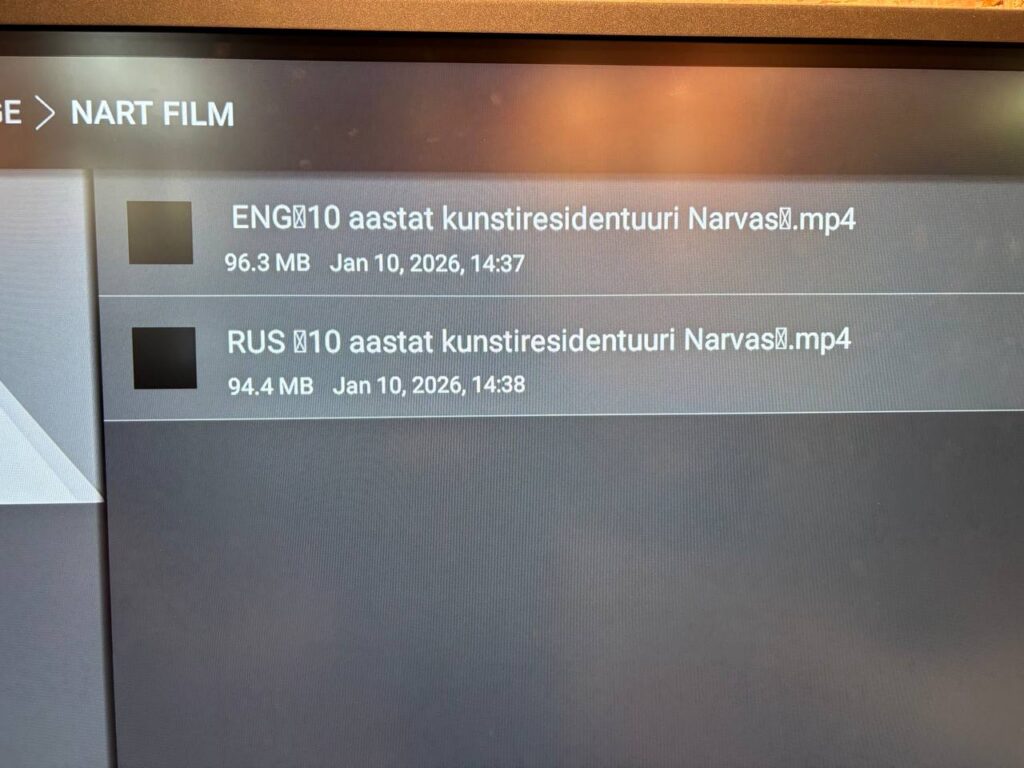
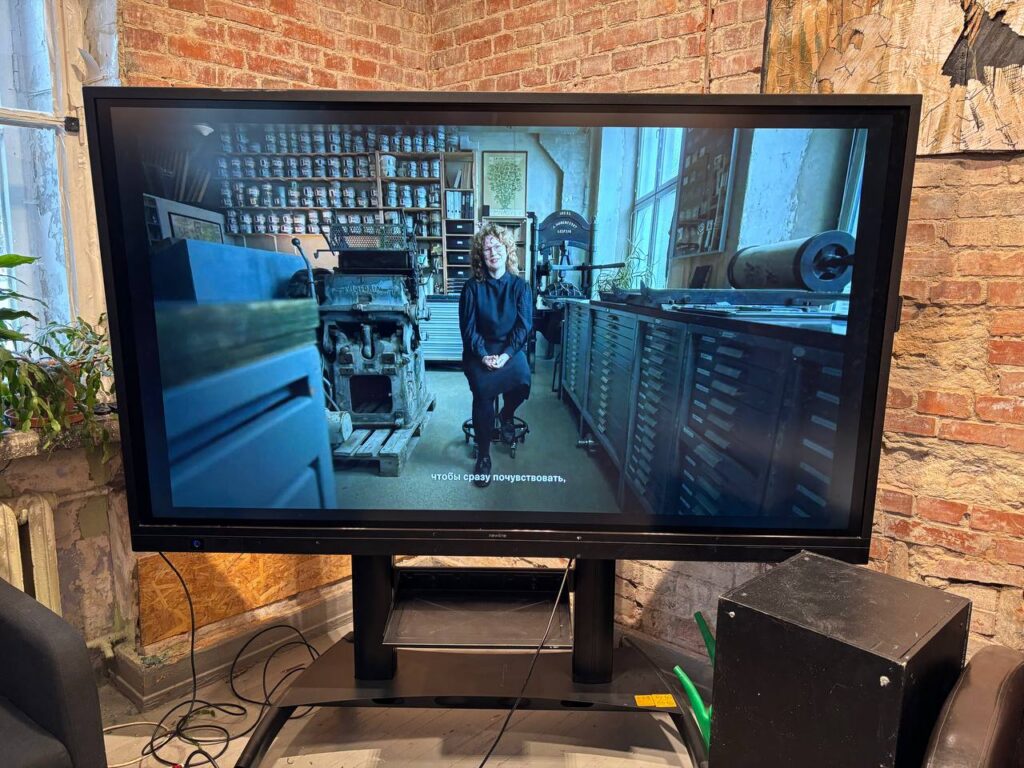
3. Touch the screen to unblock it, then touch “File viewer” button, after select “Internal storage” where you’ll find folders “Majatuur” and “NART film” where is history video and jubilee film. Film is in Estonian with Russian and English subtitles.